Read V2EX in English
Last updated: November 2, 2026
V2EX is a Chinese-language community for developers and people in tech, often compared to Hacker News. Nearly everything on the site is in Chinese. VVAE, a native V2EX app for iPhone and iPad, gives you an English interface. Its AI assistant explains Chinese threads in English.
An English interface (free)
Every screen, menu, and button in VVAE is available in English, Simplified Chinese, and Traditional Chinese. VVAE follows your iPhone’s language. If your iPhone is already in English, you don’t need to change any settings.
To set only VVAE to English, first add English under Settings › General › Language & Region. Then choose English in Settings › Apps › VVAE › Language.
Topics and replies appear as their authors wrote them, usually in Chinese. VVAE doesn’t machine-translate posts. Instead, the AI assistant explains them in English.
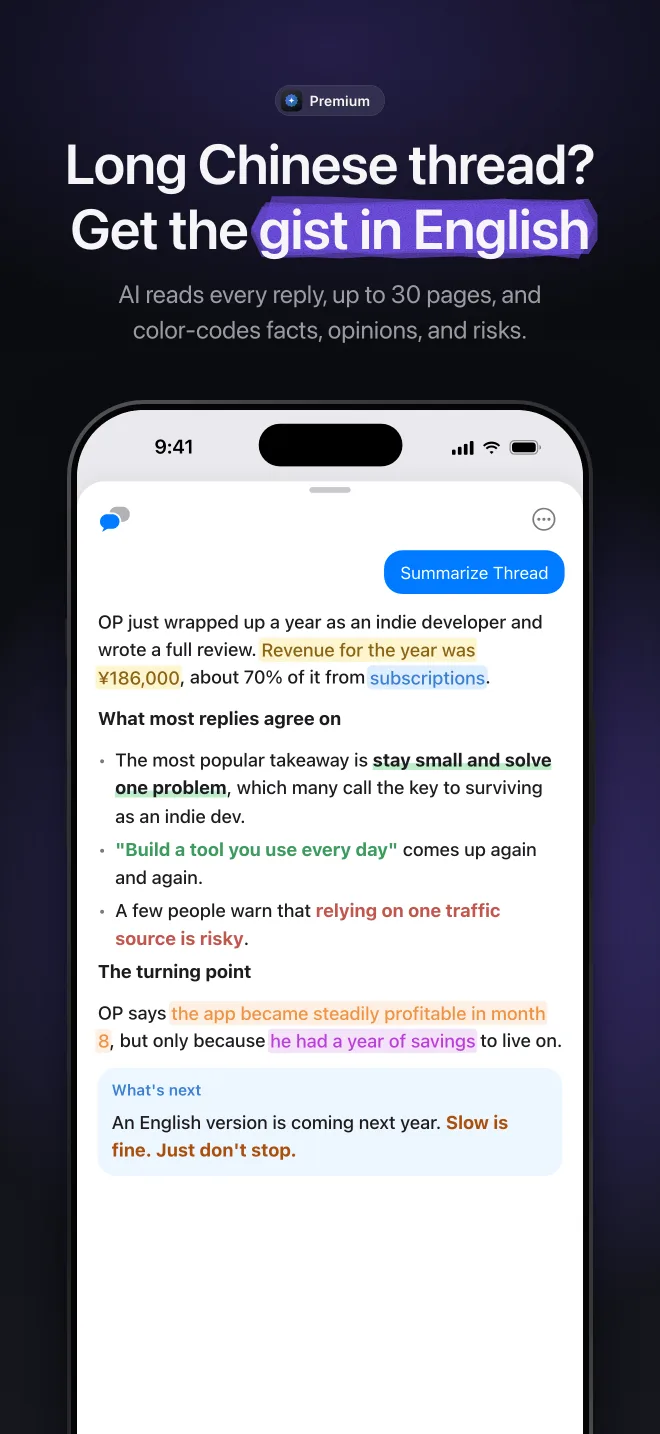
Get the gist of a Chinese thread
Open the AI assistant in any topic and tap a quick action:
- Summarize Thread: Outlines the main points, the disagreements, and what the original poster added later, drawing on every reply.
- Rank Answers: Turns “what do you use?” threads into a ranked list.
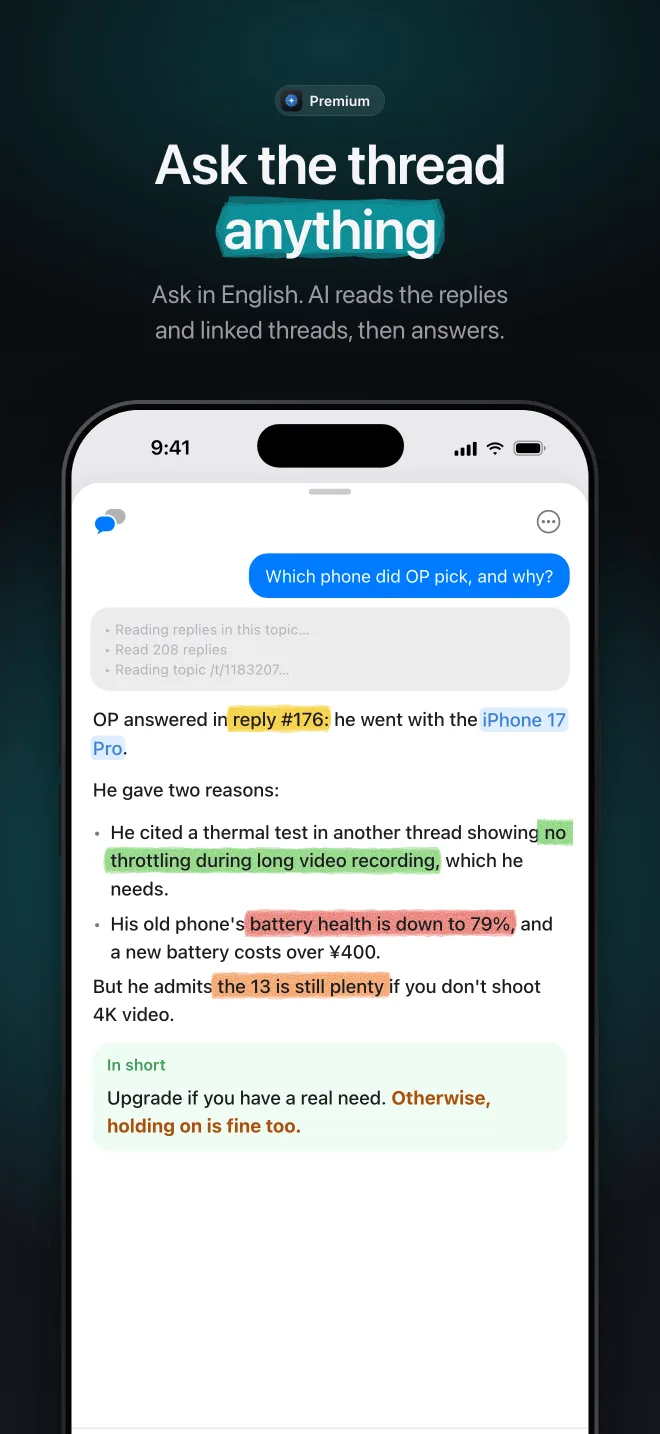
Ask questions in English
- Follow-up questions: Ask anything about the thread in English. The assistant looks through the replies and related topics to answer.
- Search chat: On the Search screen, ask what V2EX says about a subject. The assistant finds the relevant topics and sums them up. Search chat requires a model that supports tool calling.
When VVAE is in English, the assistant answers in English.
What you need
- VVAE Premium. The English interface is free. The AI assistant requires Premium. See Pricing.
- An API key from a supported provider: OpenRouter, DeepSeek, Fireworks AI, OpenCode Go, Ollama Cloud, CLIProxyAPI, V2EX, or any OpenAI-compatible service. Add your key in Settings › AI Assistant. Requests go directly from your device to the provider, not through our servers.
Questions? Email us anytime at support@vastlogic.dev.