Read V2EX in Three Columns on iPad
Last updated: November 2, 2026
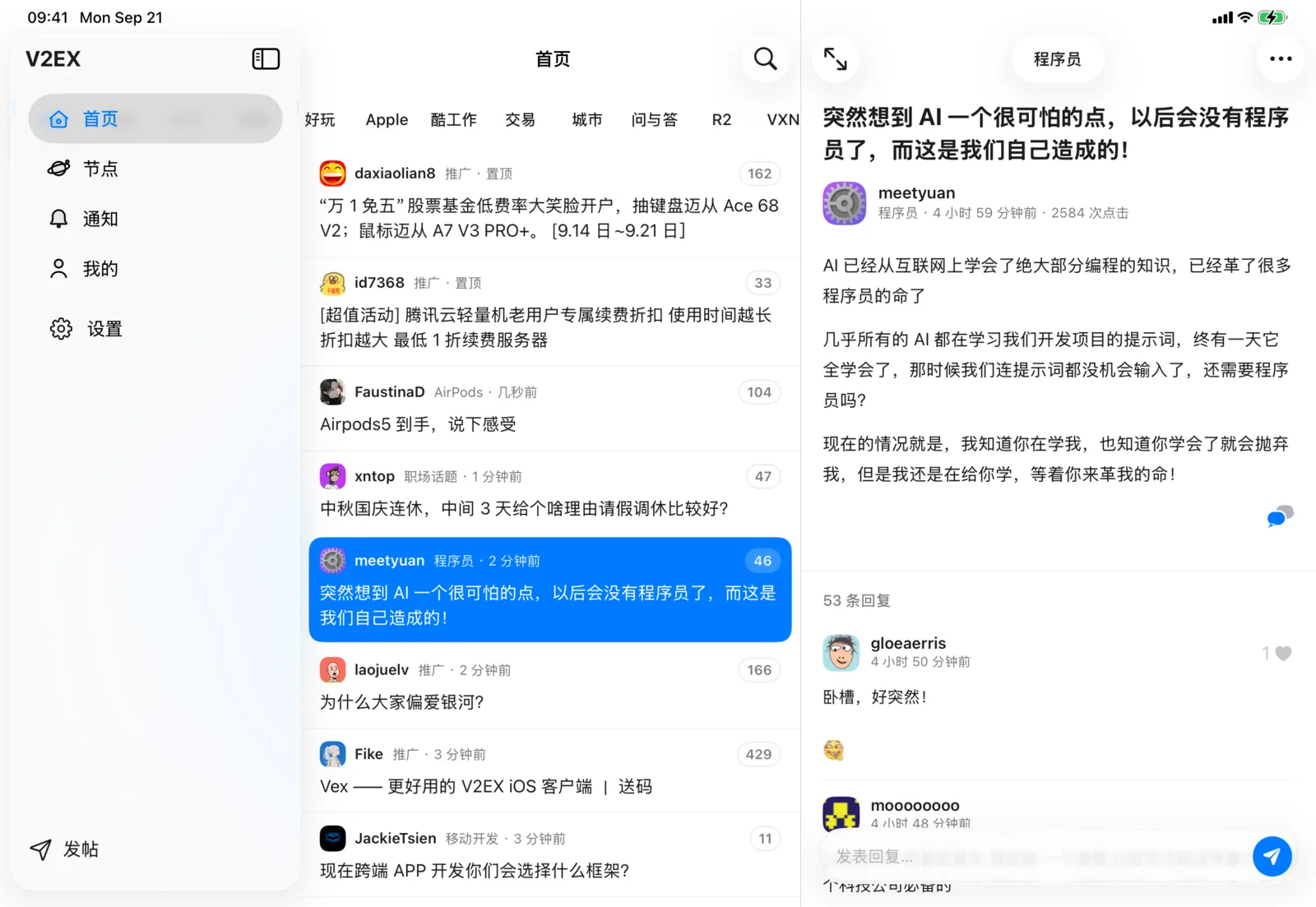
On iPad, VVAE shows V2EX in three columns: the sidebar on the left, the topic list in the middle, and the topic on the right. Tap a topic to open it in the right column. The list stays in place, so you can move on to the next one.
What each column does
| Column | What it shows |
|---|---|
| Sidebar | Four sections: Home, Nodes, Notifications, and Me. Settings sits below them, with a New Topic button at the bottom. Notifications shows a count when you have unread notifications. |
| Topic list | Topics in the current section. The topic you’re reading stays highlighted, so you know where you left off. The Home list has a search button in its top bar. |
| Topic | The post and its replies. VVAE caps line length, so text stays easy to read even in landscape. |
Change the layout
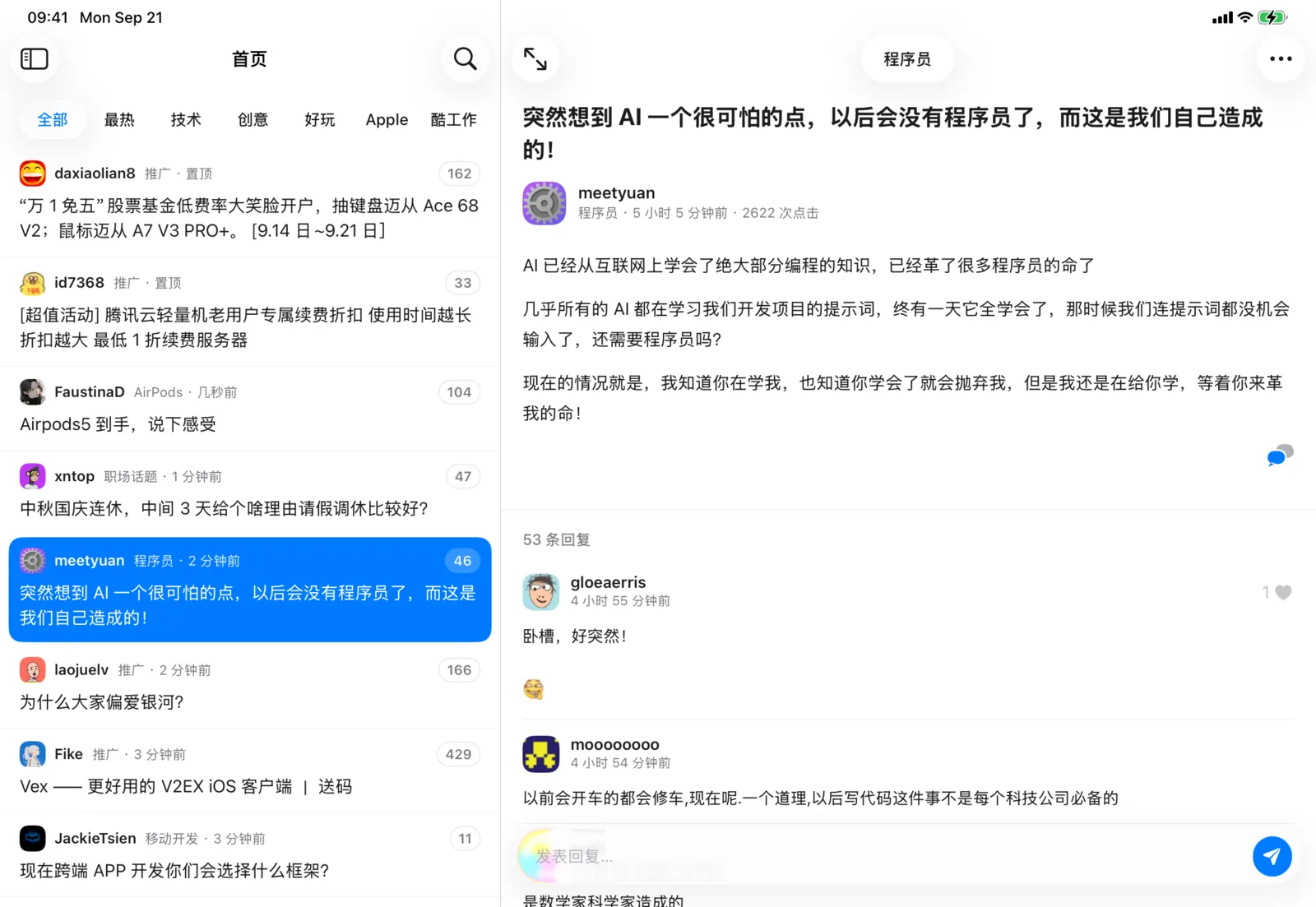
- Hide the sidebar: Tap the sidebar button at the top right of the sidebar or the top left of the list. In landscape, you get two columns—list and topic—with more room for the post. Tap it again to return to three columns.
- Read full screen: Tap the full-screen button at the top left of the topic. The list and sidebar slide away, leaving only the topic. Tap it again to bring them back.
- When you switch sections, the landscape layout stays as you set it.
Landscape and portrait
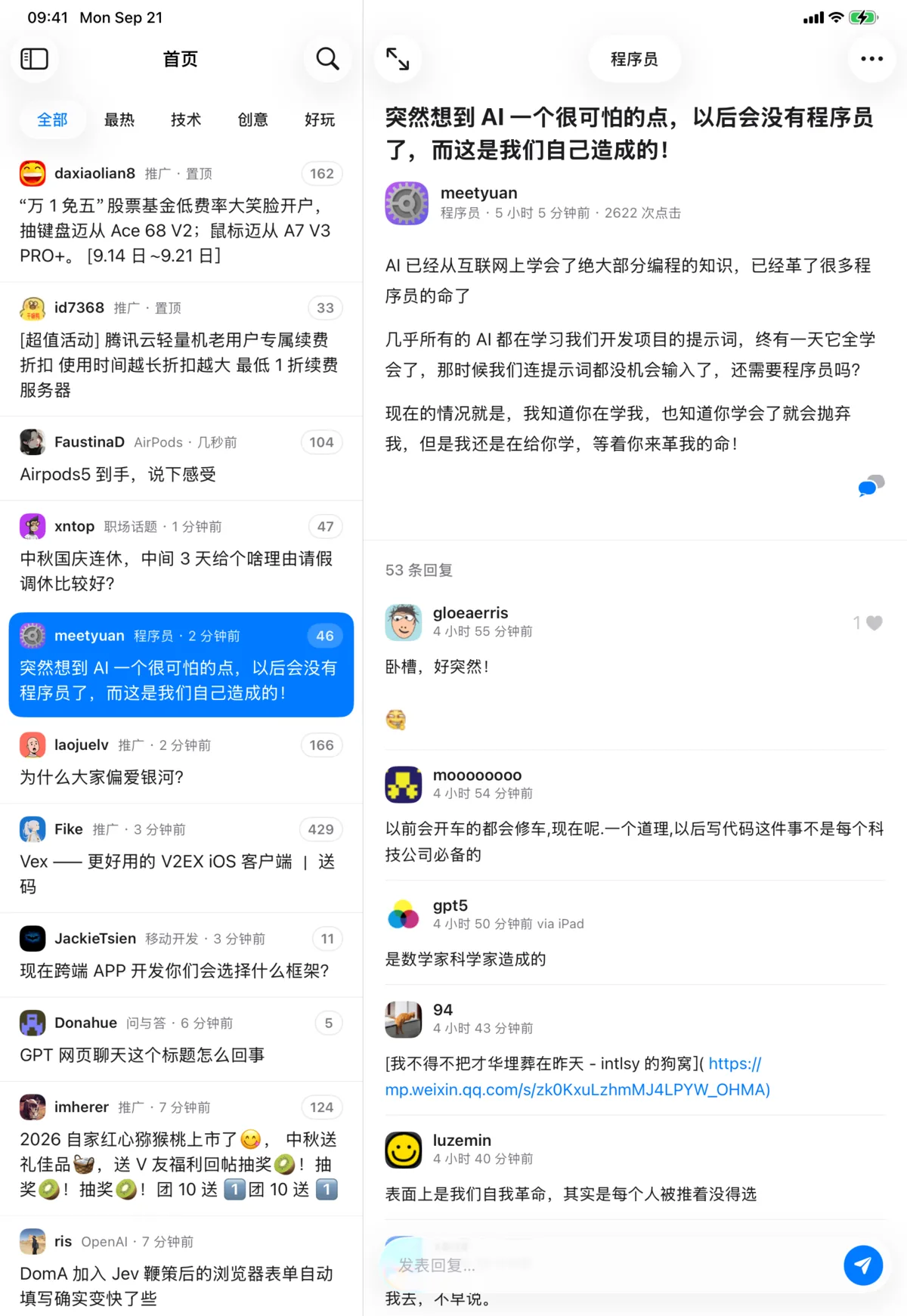
Landscape starts with three columns. Portrait shows two: the list and the topic. Tap the sidebar button to slide the sidebar in over the list.
Each section keeps its place
Browse Nodes for a while, then switch back to Home. The Home list and the topic you were reading are still there. Settings opens over the current topic, so going back returns you to that topic.
iPad Home Screen widget
On iPad, the Today’s Hot Topics widget comes in an extra-large size that lists the day’s hot topics in two columns. Tap a topic to open it in VVAE.
Free or Premium
The three-column layout and the widget are free. Signed-in features, such as replying and notifications, require VVAE Premium. See Pricing for details.
Questions? Email us anytime at support@vastlogic.dev.